
A Saturday afternoon in Kessler Line
Free playtime tracker for Windows and Linux
Every hour you play, honestly counted.
Vaultime notices when a game starts, keeps active and idle time apart and writes your play down like a journal. Everything stays on your PC.
Saturday
26 September
5h 58m
14:10 to 15:15
Local
18:40 to 22:45
Local
The whole evening went to Mournhollow
23:05 to 23:53
Suspicious
A late night round of Wild Ante
How it counts
Three kinds of time, kept apart. The details in the docs.
Runtime
How long the game was open.
Active time
The game was in front and you were at the keyboard, mouse or controller. This is your playtime.
Idle time
The game ran while you were away or it sat in the background. You choose how long without input counts as away, from 5 seconds up to a day, and whether background time counts as active.
Sleep
Time while your PC sleeps is never counted.
Trust labels
Every session keeps a hash-linked log. A session is Suspicious when the clock jumped and Recovered when Vaultime rebuilt it after an unclean exit, and it says what happened. The labels show changes, they cannot prove that nothing changed.
What you get
A library that looks like one, not a log file.
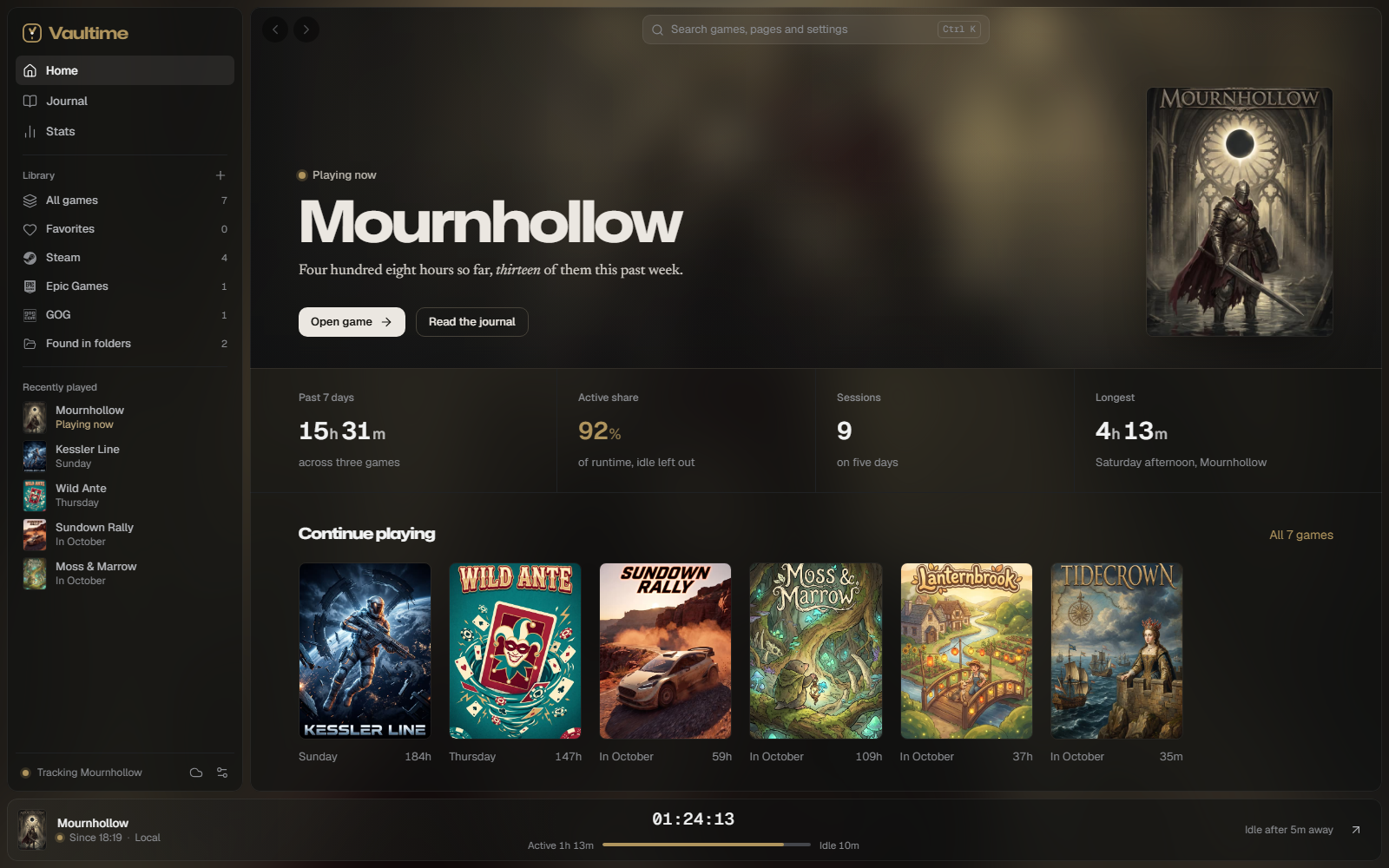
Home in the colors of your game
Leads with the game you play now or last, tinted from its cover, with your week in numbers and the games to continue.
A journal of your play
Week by week, a 24 hour strip for each day and every session written as a sentence beside its cover, with the screenshots you took in Steam. It notes when a game passes ten, a hundred or a thousand hours.
Your year in games
Your year told in chapters, one card at a time: your game of the year, your longest session, the week you played most and the games you finished. Made on your PC, ready to share as a picture.
Always in view
A live bar shows the running game and its timer, and Ctrl+K jumps to any game or page.
Every launcher in one library
Steam, Xbox, Epic, GOG, EA, Ubisoft, Battle.net, Riot, Rockstar, Amazon, itch.io and more, each with its own page and hours, plus common game folders on every drive and any game by hand.
Runs in the background
Closing the window keeps tracking in the tray. Vaultime starts when you log in and never pops up by itself, no notifications and no reminders.
Backups
Local backups to any folder, a sync folder that keeps them on your other PCs, and optional cloud backup to a server you or a friend run, encrypted on your PC before upload.
Download
Free and open source, for Windows and Linux. No account needed.
Windows
Installs for your user account, no admin rights needed. The .msi is for managed installs.
Linux
.deb for Debian and Ubuntu, .rpm for Fedora, the AppImage for Arch, openSUSE and everything else. Every release is installed and started on Debian, Ubuntu, Fedora, Arch and openSUSE before it is published.
GitHub
The same installers are on GitHub with every release, next to the source code.